The Town of Pepperell now uses the ClearGov system for managing annual budget requests. Department heads submit their requests through ClearGov’s budgeting module.
Creating your account
If you don’t already have an account, contact the Accounting Department to request one.
You’ll receive an email with a link to set up your password. Follow the link and create your login credentials.

- Open this email and follow the included link to create your password.
Editing the Operational Budget Request
When a new budget cycle begins, Accounting will send you an invitation email.
The email should be similar to this message:

- Open the email and click the link provided. If you’re not automatically logged in, select Sign In and enter your credentials.
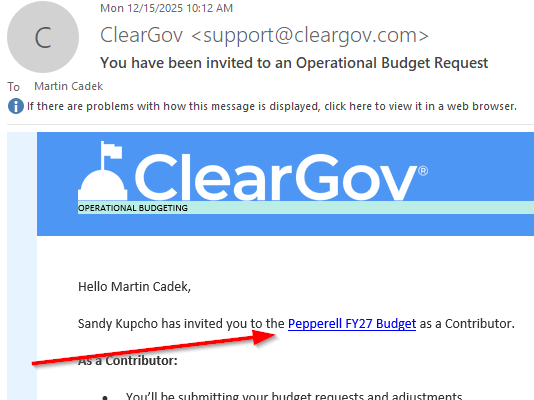
- If you are not automatically logged in then click Sign In and enter your credentials

- From the left-hand menu, go to Budget -> Operational Budgeting.
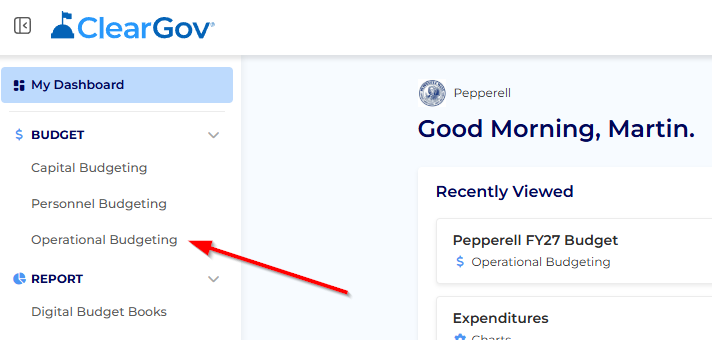
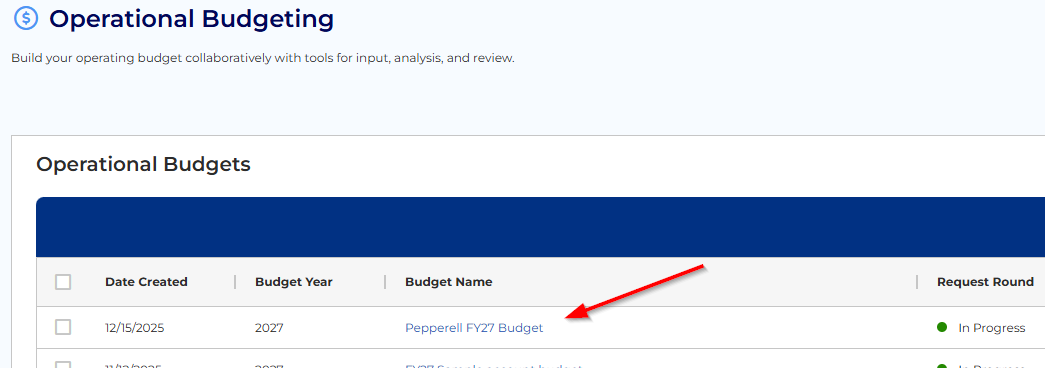
- You may need to select the current budget if multiple budgets exist, simply click the budget that you wish to view.
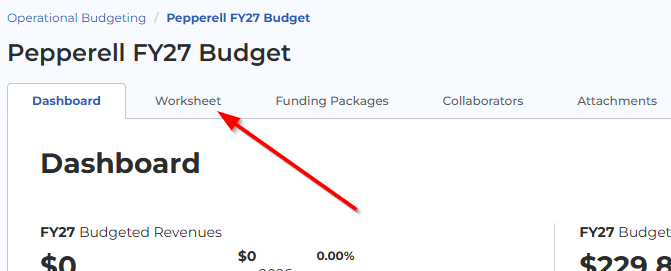
- select the Worksheet tab. This is where you’ll enter your budget requests.
Please note:
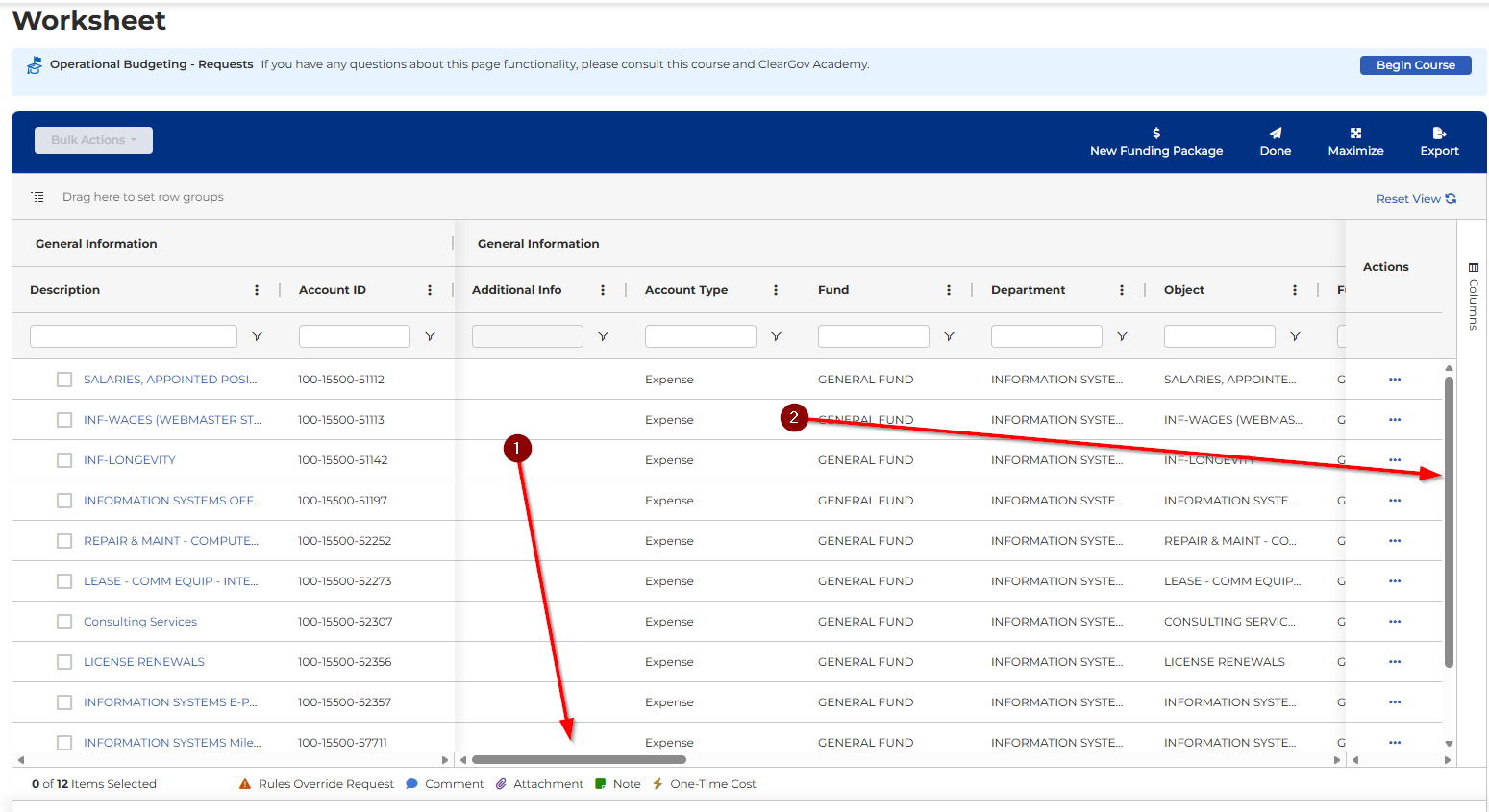
- There are two scroll bars—horizontal and vertical—that allow you to view all data. Don’t miss them.
- Additional help for navigating the worksheet can be found in this ClearGov help section: Navigate the Worksheet – ClearGov Support Center
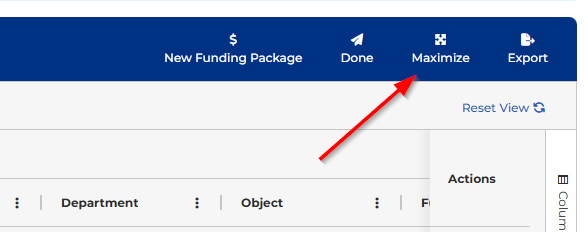
- Use the Maximize button to expand the worksheet to full screen for easier navigation.
Scroll right to find the yellow column for the upcoming fiscal year (e.g., FY27). Last year’s values will already be filled in.
To update, either:
Enter a new dollar amount in the Value field.
Or adjust by percentage in the Percent column (e.g., +3% or -3%).
The Difference column will automatically show changes compared to last year.
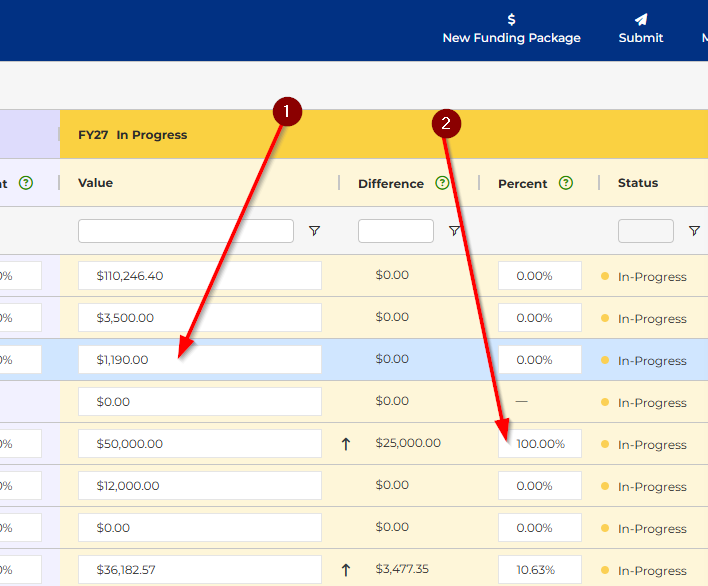
- The difference column will show the differences vs. last FY value
To upload attachments or enter comments use the Actions (…) button next to each line item.
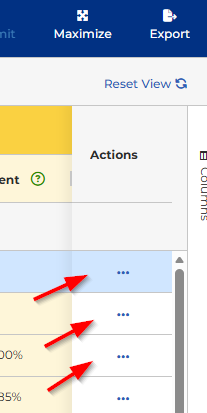
Comments notify the Accounting Office and are internal only.
Best practice: use Comments for official explanations (for TA, FinCom, Accounting)
- Additional explanation of these tools can be found here: Operational Budgeting - Edit the Worksheet – ClearGov Support Center
Submitting the Budget.
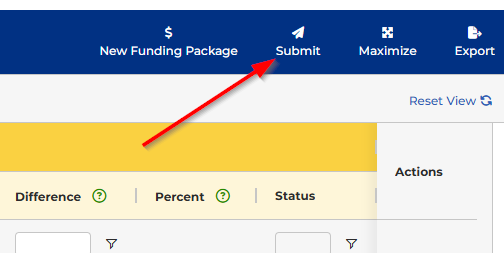
Once finished, click the Submit button at the top of the worksheet.
The Accounting Office will be notified and begin the review process.
Submissions may be:
Fully accepted
Partially accepted
Edited by Town Administration
Returned for revision
Since this is Pepperell’s first year using ClearGov, the town will continue refining the workflow and learning from this process.
Was this article helpful?
That’s Great!
Thank you for your feedback
Sorry! We couldn't be helpful
Thank you for your feedback
Feedback sent
We appreciate your effort and will try to fix the article