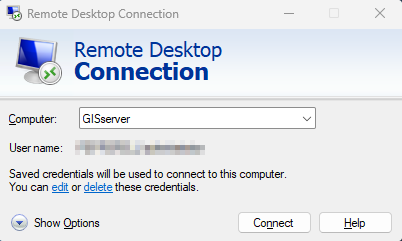
1) Open remote desktop connection
2) Connect to GISserver
3) on the server, navigate to c:\python\PP_MAT directory
4) right-click on MAT_Template.sql file, choose edit , it will open in notepad
5) edit the query as needed, likely just update the years in the FROM statement
6) save the file
7) done..
note:
- This sql query is used by a python script named AP_MAT_VPC.py in the same directory
- This python script creates Pepperell MAT.csv extract formatted in the way that OpenGov likes, also located in the same directory
- This .csv file is uploaded by a windows task (through FTP) to OpenGov each night
Basic Troubleshooting steps when OpenGov is "missing" data:
1) Check if the csv file is being generated -> check its last creation date, if it's older than 2 days then the windows task that runs the python script may be broken
2) Open the csv file if parcels are missing, see if they are in the file or not, might be a problem with the SQL query if csv extract is missing some data
3) If file is being generated but OpenGov is missing parcels/data, maybe the FTP upload process is broken (see IT)
Was this article helpful?
That’s Great!
Thank you for your feedback
Sorry! We couldn't be helpful
Thank you for your feedback
Feedback sent
We appreciate your effort and will try to fix the article