Updating of Assessing Maps on the Town Website at this page: Assessor's Maps | Pepperell, MA - Official Website
Prerequisites
- Gather new sector maps, 2-41 + index map (whole town) from GIS department
- PDF or JPEG formats are ok
Update sector maps
- Log into CivicPlus
- Go to Modules -> document center
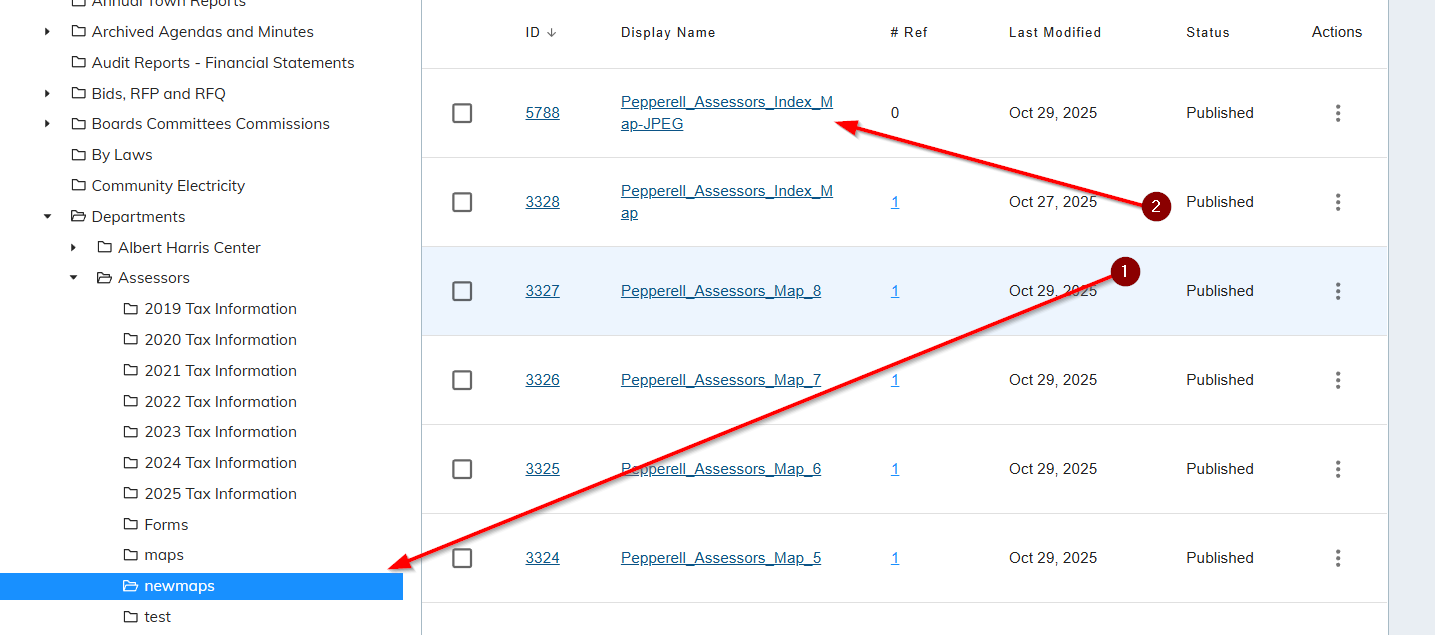
- Navigate to home -> documents -> departments -> assessors -> newmaps
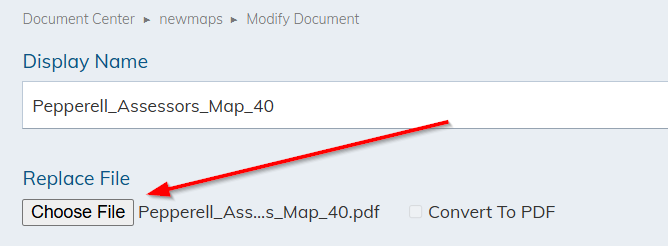
- Click each sector map, one by one

- Click the Choose file option to replace existing map with new version of it, make sure that map #’s match. For example, when editing map 40, replace it with new map 40 or mayhem will follow ?
Index Map
- If needed, see IT department to help
- PDF of index map needs to be converted to JPEG format and resized to 3000 pixels x 2167 pixels
- JPEG needs to be uploaded to DocumentCenter and replace the previous index map
Was this article helpful?
That’s Great!
Thank you for your feedback
Sorry! We couldn't be helpful
Thank you for your feedback
Feedback sent
We appreciate your effort and will try to fix the article