The Town is unable to provide Adobe Acrobat licensing for all users do its high cost. There are alternatives that may help you achieve the same result. Two of these alternatives are listed below:
1) Use free Adobe.com converter
Never upload documents containing personal, financial, or otherwise sensitive information to online converters. The moment you upload a file, you lose control over it—and you have no way to know where that information may end up
- you may need to create a free Adobe.com account to use these resources
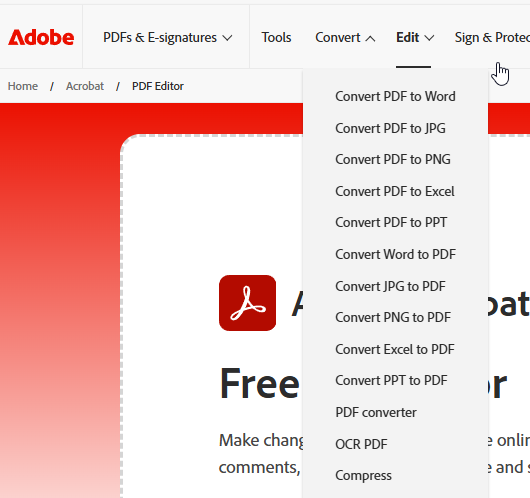
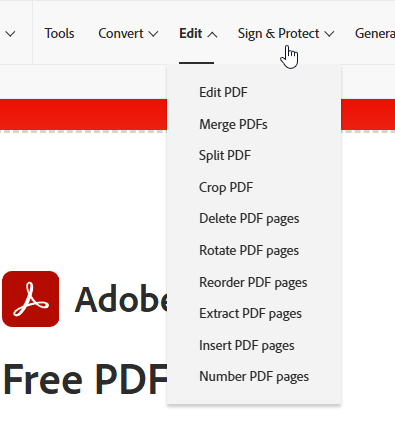
- Edit PDFs - Free Online PDF Editor – Easily Edit PDFs
- Convert PDF to Word - https://acrobat.adobe.com/link/acrobat/pdf-to-word
there are many other options from adobe.com, I believe all of these are free.
2) Utilize Microsoft Word's ability to open and convert PDFs into editable MS Word Documents
- in Microsoft Word, choose FILE -> OPEN -> Browse for the file
- Choose the PDF to be converted and click OK
 - you will receive a warning that Word will attempt to convert it, it may take a while, allow it to finish
- results will vary depending on complexity of the PDF
- Do not expect it to be perfect, do not expect graphics, styles, forms to translate well
- Check everything for accuracy, do not blindly trust the conversion process.
Was this article helpful?
That’s Great!
Thank you for your feedback
Sorry! We couldn't be helpful
Thank you for your feedback
Feedback sent
We appreciate your effort and will try to fix the article